

Saving, files and updates
Saving to the board
What the board only shows and what it keeps, what Save to board does step by step, and why the button is sometimes greyed out.
Everything you change in the configurator changes your draft: the configuration open in front of you. Copies on your computer are covered in Configuration files.
The draft and the board
- The draft lives in the configurator. When you connect a board and have nothing else open, it starts as a copy of what the board has saved.
- What the board shows follows the draft while the board is connected (live preview, below), but only until the board restarts.
- What the board keeps is saved on the board and survives a restart. The board starts from it.
The board keeps a configuration as three documents, each checked and saved on its own:
| Document | Holds | After a save |
|---|---|---|
| Dashboard | Screens and widgets; the button actions, screen rules and Home | Shown at once |
| Modules | LED strips and matrices; the button names and inputs | Shown at once |
| Protocol | The link the board talks over (Link settings) | The board restarts |
Live preview
While a board is connected, the configurator sends it the dashboard or modules document you changed, a quarter of a second (250 ms) after your last change. The board draws it straight away but does not store it: after a restart, or when it loses power, it goes back to what it has saved. That holds after you close the configurator too. Protocol changes are never previewed, because the board picks its link only when it starts.
What the Dashboard toolbar says
| Text | Meaning |
|---|---|
| Sending to the board… | After a change on the Protocol page this stays until you save, because link settings are never previewed. |
| Live preview failed: and the board’s answer | The board refused the change and keeps what it was showing. |
| The board runs its own configuration. with Resolve | You put off the question in Board and draft differ. Resolve asks it again. |
Live preview stops while the board is in safe mode, while the draft is not valid or was made for another board, while the dashboard uses a font the board does not have, and while the board’s firmware reads another version of the configuration format (Updating). It pauses while a save or a firmware update runs.
Seeing what differs
| Sign | Means |
|---|---|
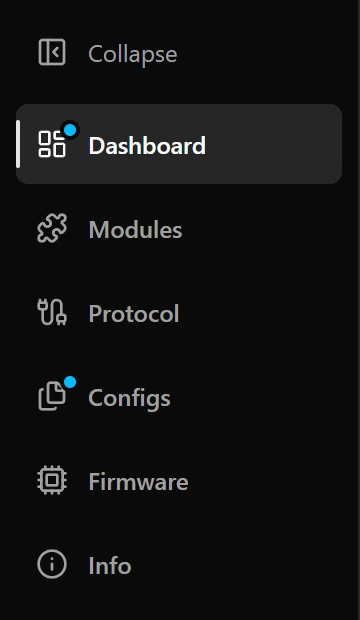
| Blue dot on Dashboard, Modules or Protocol | That document differs from what the board has saved. A blue dot on Configs means at least one does. |
| Amber dot on Firmware | New firmware waits for a restart; the Firmware page says what is left (Updating). |
| Restart required | Something takes effect only after a restart: newly installed fonts, or a document you reset. |
| … config shown, not saved | The board shows the draft but would lose it on a restart. |
| … config refused | The board found the document it saved unusable and runs without it. |
With no board connected there is nothing to compare with, so the dots and Modified stay on. To see every difference property by property, open Configs (Configuration files).

Save to board
- 1Press Save to board. Wherever you press it, it saves the whole draft.
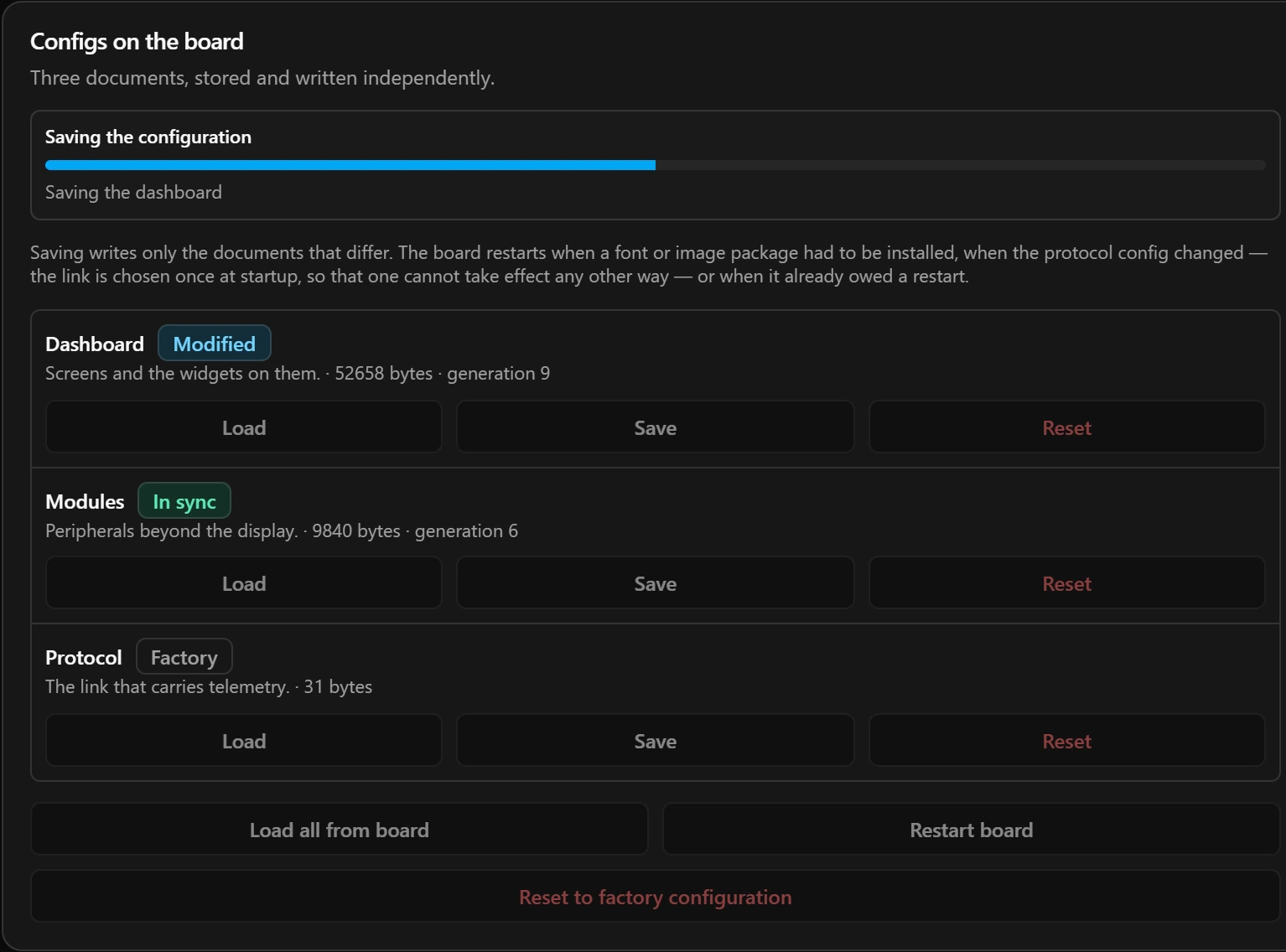
- 2To follow it, open Configs. The Configs on the board section shows each stage with a progress bar, and the result when it is done.
What a save does, in order
- 1It compares the draft with what the board has saved and keeps only the documents that differ.
- 2When the dashboard is one of them, it looks up every font family the dashboard uses in your font library. If one is missing, it stops before writing anything.
- 3It builds one font package with exactly those families and installs it on the board. When the board already holds the same package, this is skipped.
- 4It writes the documents: protocol first, then modules, then dashboard. If a write fails, the documents before it stay saved and the ones after it are not touched.
- 5It either restarts the board and reconnects, or tells the board to show what it has now saved, which keeps the screen on.
When a save restarts the board
- It installed fonts: a new font is usable only after a restart.
- It wrote the protocol document: the board picks its link when it starts.
- The board already owed a restart, for fonts or images installed earlier.
- The board was in safe mode: saving is how it leaves safe mode.
Otherwise the board switches to the saved configuration without going dark.
The result
Saved. The board is restarting out of safe mode. appears after every restart that installed no fonts, such as after a Protocol change, even when the board was not in safe mode. A red message means the save stopped at that step, and nothing after it was done.
When a font is missing
Fonts this dashboard needs opens when the dashboard names a font your library does not have, and nothing is written to the board. See A font the library does not have.
When the board holds something else
When the board has saved something other than the draft in front of you, the configurator asks before it touches either side. The choices are in When the board and the draft differ.
Why Save to board is greyed out
Hover over the button to read why. Two of the reasons need a step of their own:
| Reason | What to do |
|---|---|
| The board’s firmware reads configuration schema … and this configurator writes …. | The board needs newer firmware first (Updating). |
| Local configuration targets …, but the connected board is …. | The draft was made for another board. Convert it on the Configs page. |
What a save leaves out
- Images. Install them on the Images tab of Dashboard (Images).
- Files on your computer. Ctrl+S or Cmd+S saves the draft to a file and never to the board (Configuration files).
Good to know
- To save one document on its own, press Save next to it on the Configs page.
- Every name and text has a limit, given in its guide. The configurator lets you type more, but then it cannot save.
- A document over its size limit makes the draft invalid too; the Configs page shows each size.
Limits
| Document | Largest size |
|---|---|
| Dashboard | 131 072 bytes (128 KB) |
| Modules | 32 768 bytes (32 KB) |
| Protocol | 1 024 bytes (1 KB) |